AI Application
AI Assistant Web App
An AI-powered assistant web application built with Flask, Gemini API, speech recognition, chat history, and RAG document upload.
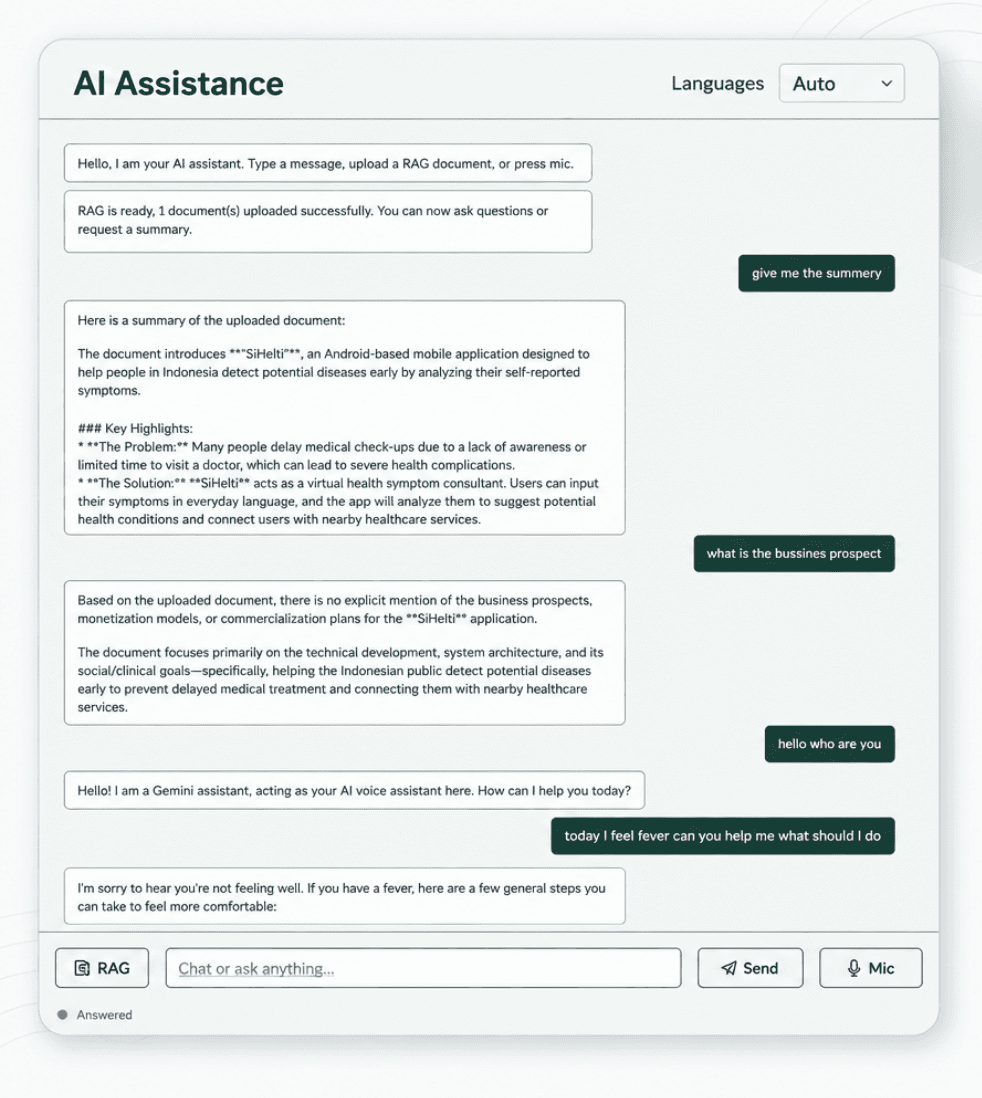
Overview
This project is an AI Voice Assistant web application that allows users to chat with an AI assistant, use voice input, select multiple languages, and upload documents for RAG-based question answering. It was created as a portfolio project to demonstrate AI integration in a web application.
Problem
Many users need a simple way to interact with AI through both text and voice. Standard chatbot interfaces often do not support document-based question answering or voice interaction in one application.
Solution
This application combines AI chat, speech recognition, chat memory, multiple language support, and RAG document upload in a clean Flask-based web interface. Users can type questions, speak using the microphone, or upload documents and ask questions based on the document content.
System Architecture
- Frontend built with HTML
- CSS
- and JavaScript
- Backend API built with Flask
- Gemini API used as the main LLM provider
- Speech recognition handled through browser-based voice input
- Uploaded documents are processed by the Flask backend
- RAG context is extracted from uploaded documents
- Chat history is stored locally for prototype usage
- Application is prepared for deployment using Gunicorn and Render
Screenshots
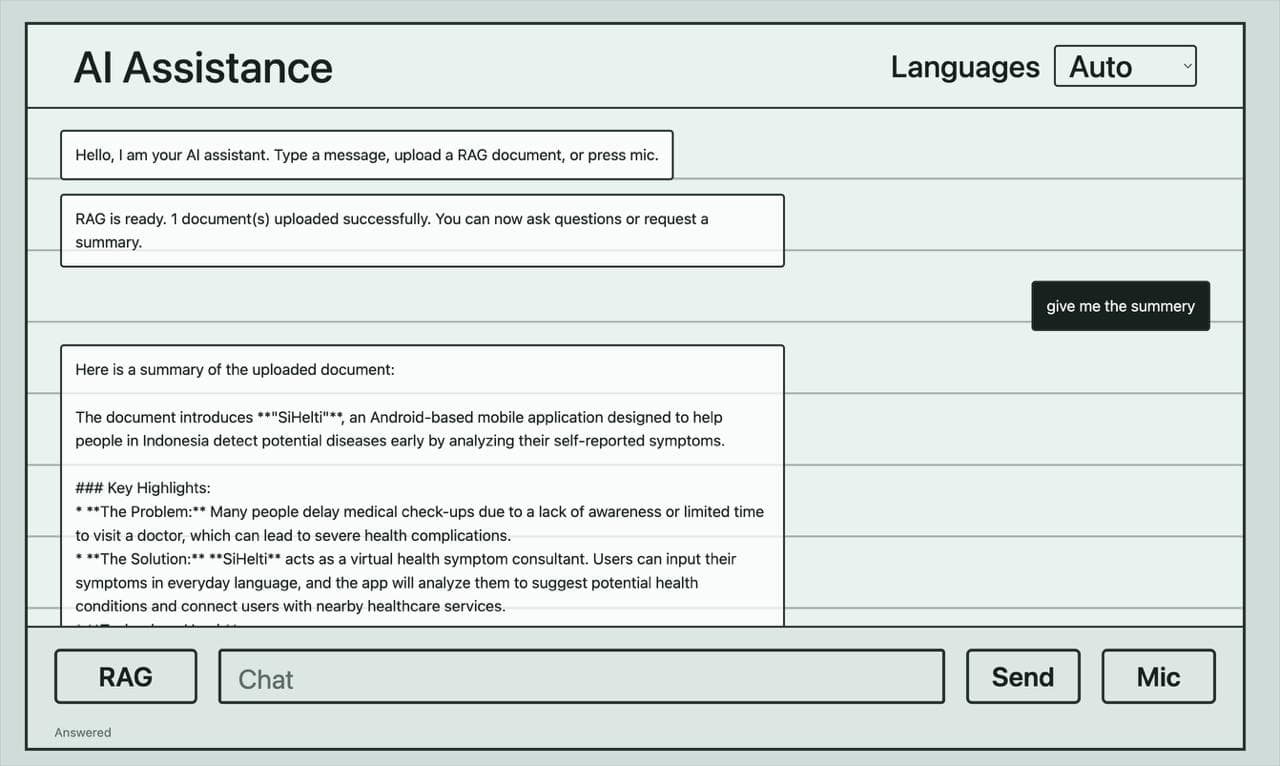
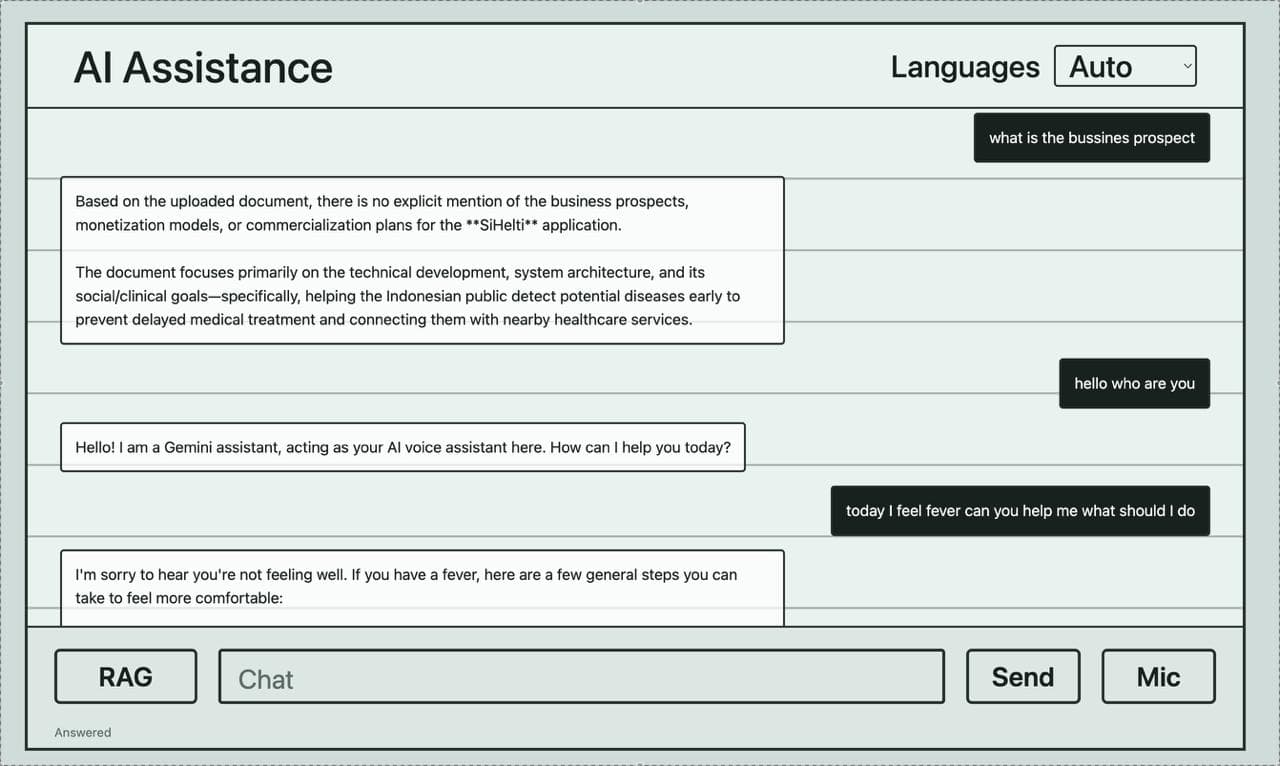
Demo Video
Challenges
- Handling API authentication securely using environment variables
- Building a clean UI based on a hand-drawn wireframe
- Making the RAG feature understand uploaded document content
- Managing chat history and document context together
- Preparing the Flask app for deployment
- Avoiding sensitive files such as .env from being uploaded to GitHub
Future Improvements
- Improve RAG accuracy using vector database search
- Add user authentication
- Store chat history in a real database
- Add better file management for uploaded documents
- Add text-to-speech output
- Improve mobile responsiveness
- Deploy the application publicly with persistent storage
- Add support for more AI providers